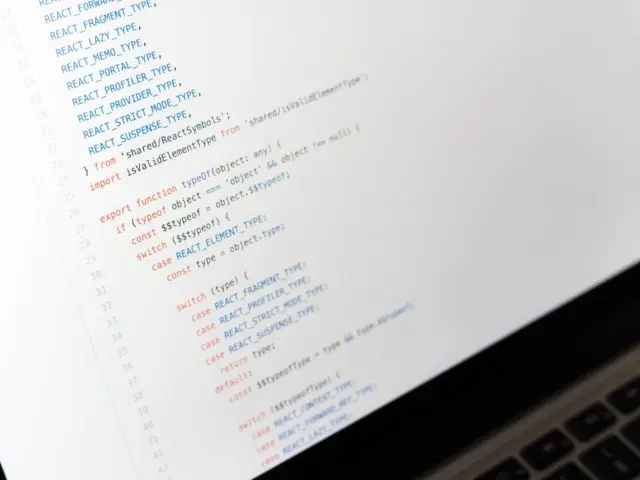

Stuck on a bug that makes no sense? Rubber duck debugging means explaining your code line by line to an object that can’t answer back. Saying it out loud slows you down, and the mistake often shows itself.
It is one of the simplest debugging techniques you can add to your routine, and it starts with nothing more than a willingness to talk.
| Item | Value |
|---|---|
| Where the idea comes from | The Pragmatic Programmer, by Andrew Hunt and David Thomas |
| Year the book was first released | 1999 |
| Steps in the method described here | 3 steps |
| Is a real duck required? | No: any inanimate object or even a person can stand in |
| Who finds the fix? | You, not the duck |
These facts come from the Coursera guide and the freeCodeCamp article. Details can change, so check the sources before you rely on them.
What rubber duck debugging is and where it came from
The technique was popularized by a story in the 1999 book The Pragmatic Programmer by Andrew Hunt and David Thomas, as freeCodeCamp explains. In that story a programmer carries a rubber duck around and explains their code to it line by line whenever a bug turns up.
You don’t only read the code aloud. You also tell the duck what you are trying to do and what you want the code to achieve, so the goal sits next to the implementation.
It sounds silly, but Coursera notes that programmers often discover the solution without any input from the duck, simply through explaining and reasoning.
Why does talking to a toy work?
The duck does nothing. The work happens in your head, because explaining forces you to slow down and put every assumption into words.
Zenhub’s write-up makes a simple point: in order to explain something to someone else, you first need to completely understand it yourself. Gaps in that understanding are exactly where bugs like to hide.
Here is what the sources say you gain:
- You notice small details, such as variable names and typos, that are otherwise easy to overlook.
- You catch mistakes, logical errors or misunderstandings that a silent read-through can miss.
- You make a serious attempt at the problem before you ask a teammate for help.
freeCodeCamp compares it to typing a social media post and reading it out loud before you publish it. That habit helps you spot typos and grammar slips, and the same effect applies to code.
Another trap is tunnel vision. According to Zenhub, when you’re writing code it can be easy to get lost in your own logic and convince yourself that you’re doing things correctly. Explaining each piece aloud makes it feel as if you’re looking at the code with a fresh set of eyes all over again.
Coursera describes the same effect as structured analysis. By externalizing your thoughts, you can approach problems more systematically and find effective solutions, instead of poking at the code at random and hoping something changes.
Writers use editors for the same reason: they want another perspective on their work. The duck gives you a stand-in for that second pair of eyes, so you get the benefit of having someone else help you examine your code without actually having to ask someone else for assistance. Your teammates keep their time, and you keep your momentum.
Get the problem ready before you talk
The duck works best when you hand it a clear problem. If you can’t make the failure happen on demand, start with how to reproduce a bug so you know exactly what you are explaining.
If the program printed an error, read it before you speak. Knowing how to read a stack trace tells you which part of the code deserves your first explanation.
Then write down two things in plain words:
- What you expected the code to do.
- What it actually did instead.
The gap between those two sentences is the bug. Your explanation to the duck is a search for where that gap opens up.
How to do it, step by step
Coursera lays out a method you can follow. Its steps are:
- Assume your duck knows nothing. Start from the basics so your own assumptions don’t cloud the analysis.
- Provide context for each line and decision made. Explain the purpose of each segment and the reasoning behind it.
- Judge your rationale until you find a solution. Question your assumptions, check for logical consistency and challenge your reasoning.
Zenhub adds some practical touches. It suggests you keep a balance of eye contact between the duck and the current line of code, and use your finger as a pointer to the text you are discussing. Follow any branches or function calls that take you elsewhere in the code base.

When you spot the problem, remember who solved it. As Zenhub puts it, it isn’t the duck that fixed the issue: it was your own doing all along.
Do you need a real duck?
No. Coursera says the presence of a rubber duck is not crucial, and any inanimate object or even a person can serve as a substitute.
freeCodeCamp adds that you can substitute a pet or other inanimate objects. Zenhub suggests that without a duck nearby you could draw one or find a similar object.
What matters is that you explain the code to someone or something that will not interrupt or respond, so your thinking stays focused. A silent listener is a feature, not a limitation.
Common mistakes and when to ask a person
The mistake Coursera flags most clearly is skipping the small stuff. If you choose not to share aspects of your code that seem unimportant, you give yourself fewer chances to notice the problem.
A second mistake is talking without listening. Pay close attention to what you are actually saying, because that is where the problem presents itself.
The duck also has limits. Zenhub points out that its programming knowledge can’t compare to your teammates’ skills, so if you are really stuck, there is no harm in asking your team once you have reached the limits of the technique.
When you do ask, your explanation has already done useful work. You can state the goal, the expected result and the actual result clearly, which makes it easier for a colleague to help.
Frequently asked questions
Who came up with rubber duck debugging?
Show answer
The technique was popularized by a story in The Pragmatic Programmer, a book by Andrew Hunt and David Thomas that was originally released in 1999, according to freeCodeCamp and Coursera.
Do I have to speak out loud?
Show answer
The sources describe verbalizing the problem, and Coursera says hearing your own voice can help. Speaking forces you to put your thoughts into clear words rather than skimming past them.
Can I explain the code to a colleague instead of a duck?
Show answer
Yes. Coursera says a person can serve as a substitute, though the ideal listener is one who will not interrupt or respond while you think.
What if explaining the code doesn’t reveal the bug?
Show answer
Zenhub says it is fine to ask your team once you have reached the limits of the technique. Bring your stated goal and the gap between expected and actual behavior.